Five things “free” can mean
Search for free Galaxy Watch faces and every result says free. They do not all mean the same thing, and the difference only becomes obvious after you have installed something. There are five models in common use.
1. Actually free. The face installs and works, indefinitely, with no payment and no cap. Samsung’s own bundled dials are the clearest example; there are plenty of others.
2. Free app, paid faces. The download costs nothing and the catalogue inside is priced per face or behind a subscription. This is the most common model in the big watch face platforms, and it is legitimate — the thing to notice is that the “thousands of watch faces” in the store listing and the ones you can use for nothing are different sets.
3. Free with ads. No payment, but the app is funded by advertising. Reasonable in itself; what varies enormously is placement. An ad between actions is the cost of a free app. An ad that covers the button you were reaching for is a design decision aimed at your thumb.
4. Free after watching an ad. The face is free, but each use is gated behind a video. Fine occasionally, tiresome if it is every single face, every single time.
5. Free trial, then a subscription. Free for seven days and then charged monthly. Perfectly honest when the store listing says so plainly — and the reason to read the “In-app purchases” line on a Play listing before installing rather than after.
None of these five is dishonest by itself. What makes one a problem is a listing that presents model two, four or five as model one. The fix is not to distrust free apps — it is to spend fifteen seconds finding out which model you are looking at.
Six things to check first
All six take under a minute, all of them on the Play Store listing before you install anything.
- Look for “In-app purchases” under the install button. Its presence does not mean the app is bad; its absence is a strong signal that model one applies.
- Read the one-star reviews, not the five-star ones. If free is really a trial, or an ad is really a wall, that is where it is described — usually in the first three reviews.
- Check what the app asks for. A watch face catalogue needs to reach your watch. It does not need your contacts, your call log or your precise location, and one that asks is telling you what its business model really is.
- Prefer anything distributed through Play. Play review and Play Protect are not perfect, but a site that asks you to enable developer options and sideload a file has stepped outside both, for a watch face.
- Check the compatibility claim against your watch. Watch faces that install from a phone need Wear OS 6 or newer on the watch. An app promising to work on a Galaxy Watch 3 is either doing something else entirely or overstating.
- See whether anyone stands behind it. A real developer name, a working contact address and a privacy policy that describes this app rather than a template. It costs an honest developer nothing and a careless one everything.
What ours costs, exactly
It would be strange to write all of that and stay vague about our own app, so here it is in full.
Galaxy Watch Faces is free to download, and 89 of the104 faces in the catalogue are free to apply — no account, no sign-up, no email address, no trial that turns into a charge. The remaining15 are premium and need the app’s optional monthly subscription. They are badged Premium in the app and on this site, on the grid and on the face’s own page, so you know which is which before you tap anything rather than after.
The free version shows ads. Banners, an ad when the app opens, and an occasional full-screen one between actions. That is model three above, and it is what pays for the design work and the hosting. Every so often applying a face asks you to watch a short video first — model four — and the subscription removes all of it.
The subscription buys three things: the 15 premium faces, no ads anywhere, and priority on the in-app assistant. It does not gate anything that was previously free, and nothing you have already applied stops working if you cancel — an installed face lives on the watch.
What we do not do: no free trial that becomes a charge, no account, no data sold, and no permissions beyond what is needed to find your watch and send a face to it. The full detail is in the privacy policy, and the about page says who we are.
Where else to look
A page about free watch faces that only mentions its own is not much use, so:
The faces already on your watch. Every Galaxy Watch ships with a set of Samsung dials, and most are more configurable than people realise. Long-press the dial, tap Customize, and change the colours and complications before concluding you need something else — it is free and it is already installed.
The Play Store, on the watch itself. Standalone watch faces install directly to the watch with no phone involved, and plenty are free. Worth browsing if you specifically want not to involve a phone.
The large platforms. Facer, WatchMaker and Pujie carry enormous libraries built by their communities, with free tiers alongside paid ones. If you want tens of thousands of designs and are willing to sort through them, that is where they are. They are a different proposition from a small curated catalogue, not a worse one.
Making your own. Samsung’s Watch Face Studio is free and runs on a desktop. It is a real design tool with a real learning curve, and if you want one specific thing that nobody has built, it is the honest route to it.
The four sources compared
The same four sources, side by side, on the three things that actually decide which one suits you.
| Source | What it really costs | Where it installs from | Best for |
|---|---|---|---|
| Samsung’s bundled dials | Nothing, ever | Already on the watch | Customising what you have before looking further |
| Play Store, on the watch | Mixed — free and paid, per face | The watch itself, no phone | Installing without involving a phone at all |
| Large community platforms | Free tier plus a subscription for the rest | A phone app | Sheer volume, if you enjoy sorting through it |
| This catalogue | 89 free with ads; 15 need the subscription | A phone app, over Bluetooth | A small curated set, previewed full-size before you install |
None of those rows is the right answer for everyone. If you want tens of thousands of designs, we are the wrong shape and one of the platforms is the right one. If you want to look at a hundred good previews on a laptop, decide, and then spend a minute on your phone, that is what this site is built for.
A sample of the free catalogue
Six free faces, one from each of six categories, to show what the catalogue is rather than to rank anything. Every one of these applies with no payment and no video.
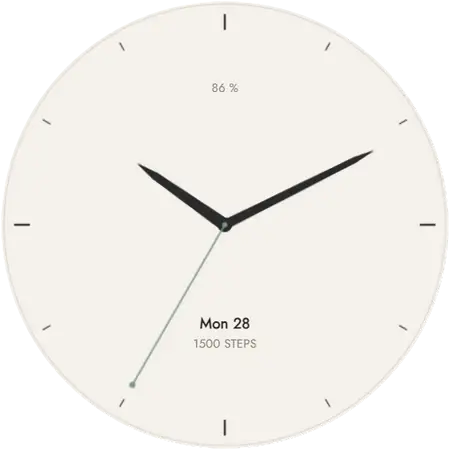
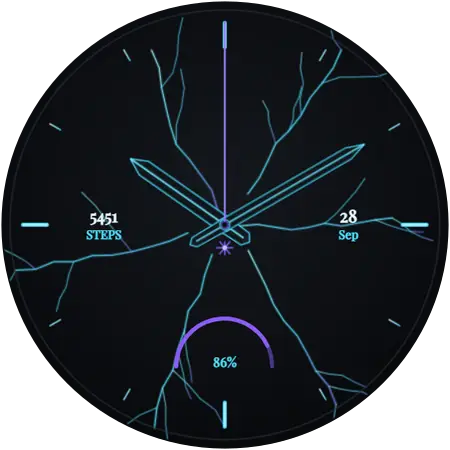
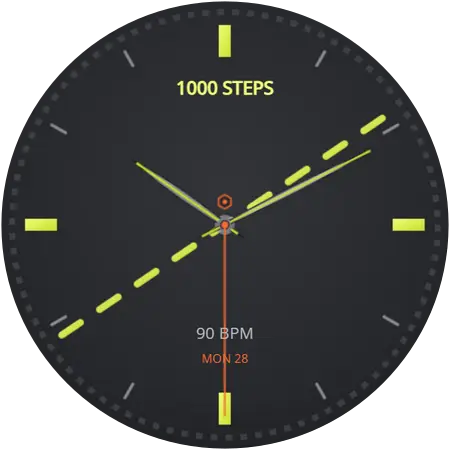
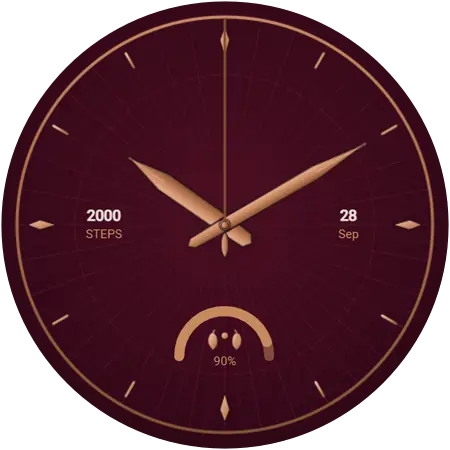
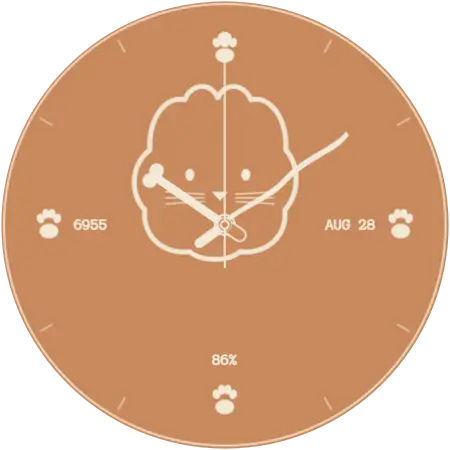
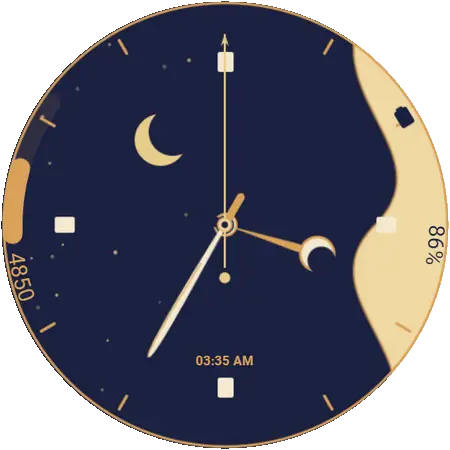
The rest are grouped by style — sport & active, minimalist & clean, fancy dark, luxury, pets, abstract & artistic, day & night, country flags and new year — or you can see all 104 of them in one list. Previews on this site are the real renders, at full size, so you can decide from a laptop before picking up the phone.
Questions
Are there genuinely free watch faces for the Galaxy Watch?
Yes, in real numbers. Samsung ships a set with every watch, the Play Store has free standalone faces, and this catalogue has 89 free ones. What is worth checking is which of the five "free" business models a given app uses, because free-to-download and free-to-use are not the same claim.
Why do free watch face apps show ads?
Because designing, packaging and hosting faces costs money, and an app with no price has to recover it somewhere. Ads and an optional subscription are the two common ways. The version worth avoiding is the one where the ad is placed to obstruct you rather than to fund the app.
Do free watch faces drain more battery than paid ones?
Price has nothing to do with it. What affects battery is how much of the OLED panel a face lights up and whether it animates, which is a design choice found at every price. A free dark, static dial will outlast a paid animated one.
Is it safe to install free watch faces?
It is as safe as the source. Faces installed through the Play Store or through a Play-distributed app go through Google’s review and Play Protect. Faces from a website that asks you to enable developer options and sideload a file do not, and that is the difference worth caring about.
Can I use a free watch face on more than one Galaxy Watch?
Yes. Install the app on the phone each watch is paired with and apply the face from there. Nothing is tied to a single watch, and there is no licence to move.